We use cookies to make your experience better. To comply with the new e-Privacy directive, we need to ask for your consent to set the cookies. Learn more.
Featured Reading Glasses
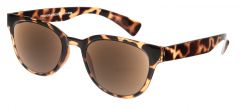
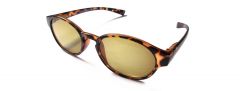
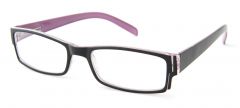
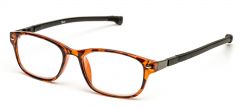
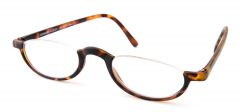
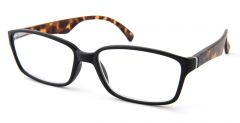
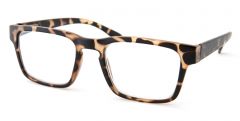
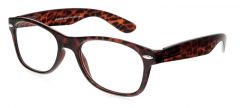
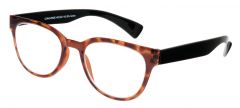
Free case with all reading glasses
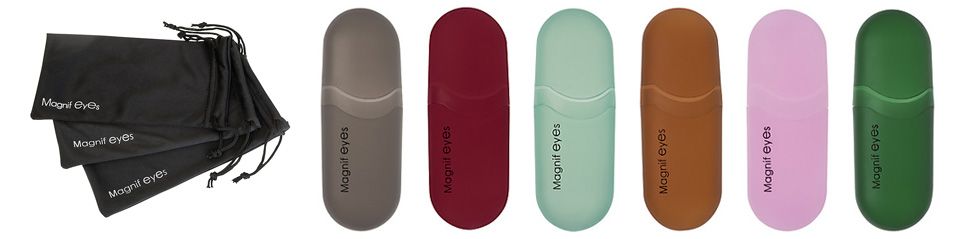
All our Magnif eyes reading glasses are supplied with a free toning hard plastic case and a black soft lens cloth case, all other glasses have a photo of their case displayed on the product page itself.
Welcome to one of the UK's finest online store for reading glasses. With an extensive range of and we sell reading glasses to suit all tastes and purposes. All of our reading glasses, sun reading glasses or sun readers (as we like to call them) are delivered to your door for under £25 starting from as little as £9.99 per pair.
Please check back regularly as our range of reading glasses and the stock level is always being updated. And don't forget you can also follow us on twitter, were we occasionally hold price draws, release coupons and obviously answer your questions to the best of our knowledge.
What they thought of their new reading glasses
Hi mike thanks for the glasses, you should be proud of your customer services!
Regards, LindaReally nice! I love both the red and black frame, it makes me special.
SusanThis is a very smart model that I think can be used by all ages of . It's not a model that can only be used by elders.
SusanThese reading glasses are so much cheaper than on the high street! I'm immediately telling my husband about them.
JaneI was looking for a pair of ready readers that didn't look like they where designed for nana. I'm only thirty-two and want to look the part, these where fantastic, funky as well as cheap. I just wish they could have been real polka dot.
Joanna BI am impressed with the glasses. I think these are of great value. I have on occasion paid twice as much for far less quality. The case may be cheap plastic, but for this price I'd rather see that the money was spent on the glasses, and it is.
Dr. PatelI need reading glasses, and lots of them! That way I can keep a pair in each strategic place. I purchased 4 and will most likely buy a few more because it is nice to be able to leave glasses in places to assure you have them, when you need them. Store delivered promptly.
ElizabethThese are a great pair of for the beach! I can't read outside in the sun without sunglasses and certainly not without reading glasses. I used to have to put on 2 pairs of glasses to read at the beach. But not anymore plus how sexy is the pink colour xoxo
LucyWhat can I say? Wonderful designs and colours. Classy and great value I have just purchased two more pairs of the 'Dawn' glasses. I've had a pair for a year and was worried lest the style be discontinued. I've never had so many favourable comments about a pair of glasses. To find styles that are refreshing was something I'd been looking for. Recently a friend said they made me look 17! I'm 57.
Perhaps she needs a pair of your glasses!
MelanieThanks for your prompt reply to my last e-mail and thanks also for sorting things out. The second pair of glasses arrived either last Friday or Saturday but as I was away from home I'm not sure which. Great service from RGD. Many companies can supply a good service but it takes a very good company to sort things out efficiently when they go wrong. Reading Glasses Direct is obviously in the very good category.
Thanks again for your help.
IdrisI love my Vermont frames. They bring back childhood recollections of a favourite uncle - now in his 80s - who used to wear glasses exactly like them. And interestingly my 14 year old daughter thinks they are really cool. What more recommendation does one need?!
John StoreyI would just like to say thank you for 1st class service ordered glasses yesterday afternoon and they arrived in the post this morning, I am highly delighted with both pairs once again many thanks.
Wendy WI just wanted to say how much I appreciate the the efficiency and simplicity of your website, and the ease of ordering. It's not often that websites are a source of pleasure!
Many thanks, VivienneYour site is bright, easy to use and, important for people seeking reading glasses, easy on the eye! Browsing the contents and ordering were very straightforward - although a "continue shopping" button might be useful for those wishing to purchase more than one item. I ordered my glasses on Wednesday and they arrived on Thursday, can't do much better than that! Really pleased with my purchase.
Best wishes, George